
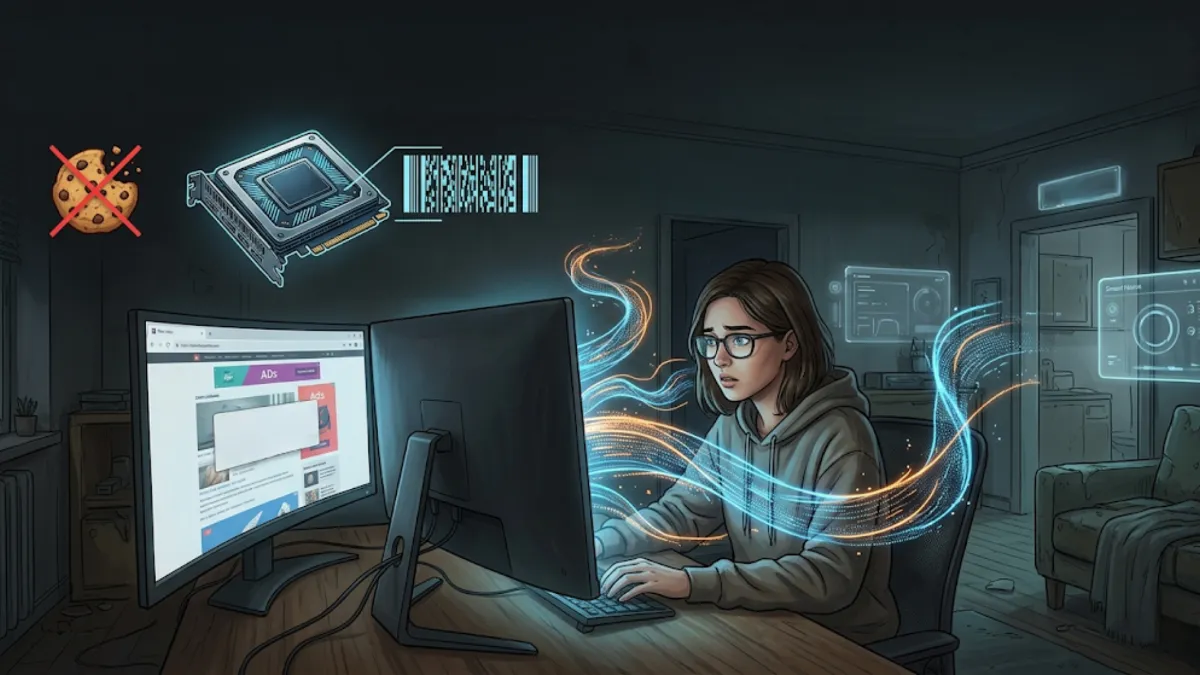
You cleared your cookies. You switched to a privacy-focused browser. You even fired up incognito mode for the sensitive searches. And yet, somehow, the tracking didn't stop. That's not a failure on your part. It's a sign that the thing being tracked changed entirely, from a file saved on your machine to the machine itself.
This piece walks through that shift: how the death of the third-party cookie quietly pushed the surveillance industry toward your hardware, what canvas and WebGPU fingerprinting actually do, why these signatures cling to you across sessions and VPNs, and where a tool like Total Adblock realistically fits, limits included.
When the Cookie Stopped Being the Point
For the better part of two decades, online privacy was, in practice, a conversation about cookies. Block them, clear them, reject them, and you'd reclaimed some ground. That framing made sense while cookies were the main way sites kept tabs on you.
By 2026, that's no longer where the real action is. Safari, Firefox, and Brave have effectively shut the door on third-party cookies, and on paper that reads like a win for everyone. The catch is what it did to the trackers. Rather than abandon the chase, they consolidated around a different kind of signal, one that doesn't depend on storing anything on your device at all.
The pivot was from storage-based tracking to device-based tracking. Instead of leaving a marker on your hard drive, modern fingerprinting reads the unique characteristics of the hardware quietly rendering every page you open. Nothing gets saved, so there's nothing obvious to delete.
Canvas Fingerprinting: Your Hardware's Handwriting
The workhorse of this approach is canvas fingerprinting, and it's worth understanding because it's both clever and nearly invisible.
Here's the mechanism. When you load a page, a hidden script quietly instructs your browser to draw a small, complex image, often a specific piece of text rendered with subtle anti-aliasing along the edges. You never see it. But the way your particular machine draws that image isn't quite the same as anyone else's.
Why? Because the final result depends on a stack of small variables unique to your setup: your GPU and its driver version, your operating system, the exact fonts installed, and your display's color profile. The script converts the rendered image into a mathematical hash, and that hash becomes a remarkably stable identifier. Published research has often described canvas as one of the higher-entropy single signals available to trackers, meaning it does an unusual amount of the work in narrowing you down to one specific device.
In plain terms: the same letters drawn on two different computers produce slightly different results, and that difference is enough to tell the machines apart.
The same letters drawn on two computers come out slightly different — and that difference is enough to tell the machines apart.
Wrinkle: WebGPU and Audio Signatures
Privacy tools fought back against canvas fingerprinting in a sensible way, by randomizing the output of the standard 2D canvas so the hash never settles into a reliable value. For a while, that helped. The trouble is that trackers didn't stand still.
The notable escalation in 2026 is the use of WebGPU, the browser standard that gives web pages deeper access to your graphics hardware for 3D rendering. Trackers can now query this 3D pathway to extract the same kind of hardware-derived signature, which means defenses aimed only at the 2D canvas can be sidestepped even when they're working as intended. The randomization is real, but the tracker simply asks a different door.
Audio adds another angle. Using the browser's AudioContext interface, scripts can generate a tiny, inaudible audio signal and measure precisely how your system processes it. Those measurements vary from one device and system configuration to the next, producing yet another identifying value. Fingerprinting research has indicated that canvas, WebGL, and AudioContext can each contribute a meaningful share of entropy to a tracking profile. Layered together, these signals can make a large portion of desktop browsers individually distinguishable, often before more basic clues like screen size or user-agent string are even folded in.
The takeaway isn't that any single technique is unbeatable. It's that stacking several of them creates a profile that's hard to scramble by defending just one.
Why You Can't Simply Delete a Fingerprint
This is the part that makes hardware fingerprinting genuinely different from the tracking most people are used to, and it deserves to be stated plainly rather than dramatically.
A cookie was always a file. Files can be cleared. A fingerprint isn't stored anywhere on your device; it's recalculated on the fly each time a site reads your hardware's behavior. There's nothing sitting in a folder to wipe. That's why the usual habits fall short:
- Clearing history or cookies removes saved data, but a fingerprint was never saved, so it returns the moment you load the next page.
- Incognito or private mode stops your browser from keeping local records, yet your GPU, drivers, and audio stack render exactly the same way, producing the same signature.
- A VPN changes the IP address a site sees, but it does nothing to alter how your hardware draws an image or processes a sound.
So a fingerprint can quietly persist across separate sessions, behind a VPN, and inside private browsing, the very tools many people assume make them anonymous. None of this means you're powerless. It means the defense has to happen earlier, before the measurement is ever taken.
Where Total Adblock Comes In
If the signature is generated the instant a script gets to interrogate your hardware, then the only reliable moment to intervene is before that conversation starts. You can't easily fake a fingerprint after the fact, but you can try to stop the script that wants to read it from loading at all.
That's the approach Total Adblock takes. Rather than leaning on hardware trickery, it uses dynamic network filtering to examine the requests a page makes and identify third-party domains associated with known fingerprinting behavior, the kind of scripts that reach for WebGPU, 3D canvas, or AudioContext to build a device signature. When it recognizes one, it aims to sever that connection before the script can render its invisible test image or sample your audio stack.
A few honest caveats belong right here, because privacy tools that overpromise do real harm:
- No tool blocks every fingerprinting attempt on every site. Tracking methods and the domains behind them shift constantly, so script-based filtering is an ongoing effort, not a permanent seal.
- The realistic goal is reduction, fewer fingerprinting scripts loading and less hardware data leaving your machine, rather than a promise of total invisibility.
- It's built to do this quietly in the background, with the intent of not breaking legitimate visuals or audio on sites you actually use.
What you can reasonably expect is a layer of defense aimed at the right point in the process: the network request, before your graphics card ever gets asked to give you away.
Taking Back Your Hardware
The story of online tracking in 2026 is, at heart, a story of relocation. As cookies faded, the watching didn't end, it moved into your GPU, your drivers, and your audio hardware, where clearing a cache and opening a private window no longer reach. Canvas, WebGPU, and audio fingerprinting persist precisely because they read the device rather than store a file on it.
That's a tougher problem than cookies ever were, but it isn't a hopeless one. The most practical response is to stop the fingerprinting scripts before they run, paired with realistic expectations about what any single tool can do. If you'd rather not leave your hardware answering questions it was never asked to, blocking those scripts at the network level is the sensible place to start.
